The Problem
Most Bible apps treat the text as casual reading material: daily verse notifications, streak counters, and surface-level devotionals. Serious study requires jumping between interlinear tools, commentary sites, cross-reference databases, and multiple translations. The apps that do offer depth look like academic software from 2004.
I wanted something different: a tool that treats Bible study as contemplation, not consumption. Original languages one click away, scholarly context always within reach, and an atmosphere that invites you to stay and think.
The Approach
Built from scratch in MonoGame (C# / .NET 8), a game engine, not a web framework. That choice gives pixel-perfect rendering control, custom atmospheric backgrounds, and a feel that’s closer to a meditative experience than a utility app.
All data lives in SQLite: 31,000+ Berean Standard Bible verses, 141,000 Greek NT words with morphology data, 5,600 Strong’s Greek lexicon entries, 8,600 Hebrew entries, and 432,000 cross-references. Everything runs locally. No account, no cloud, no tracking.
The interface is keyboard-driven. VI-style navigation (J/K to scroll, H/L for chapters) keeps your hands on the home row and your focus on the text.

What It Does
Jesus’s Words Reader
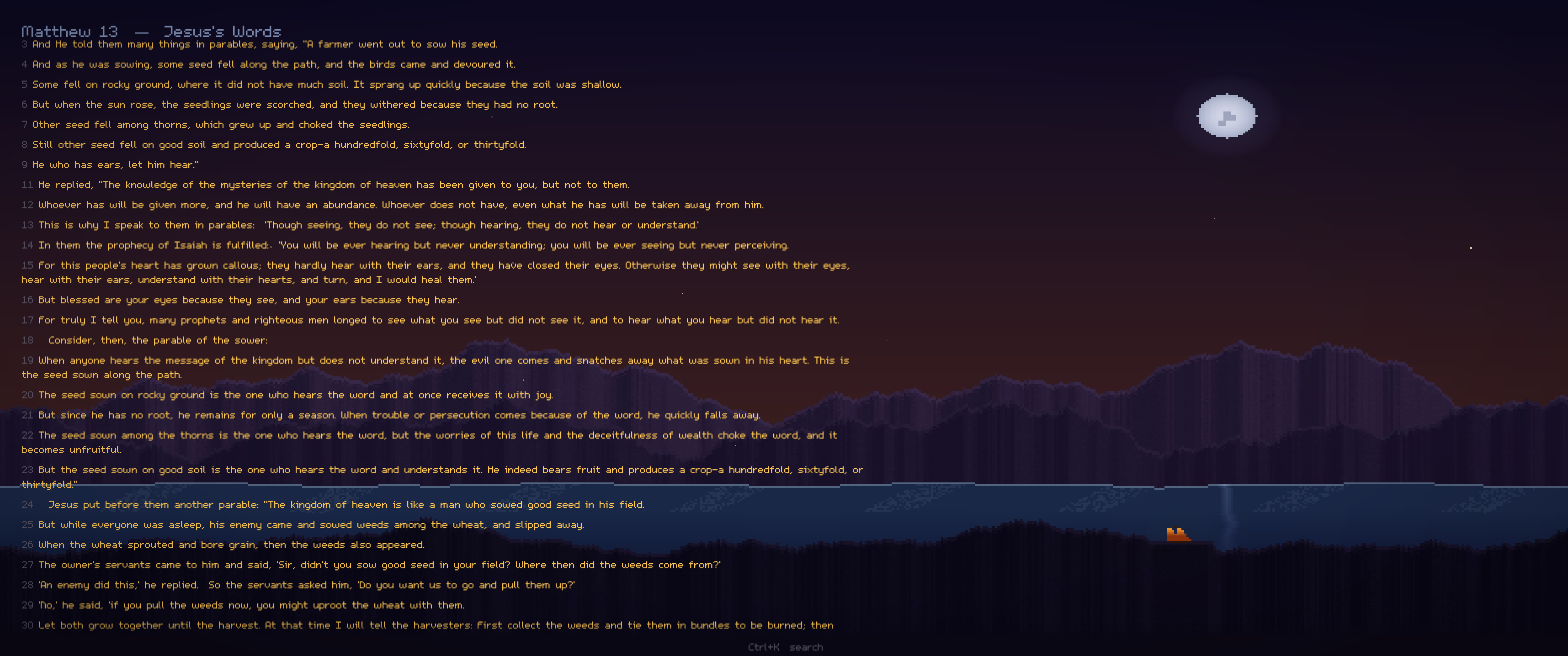
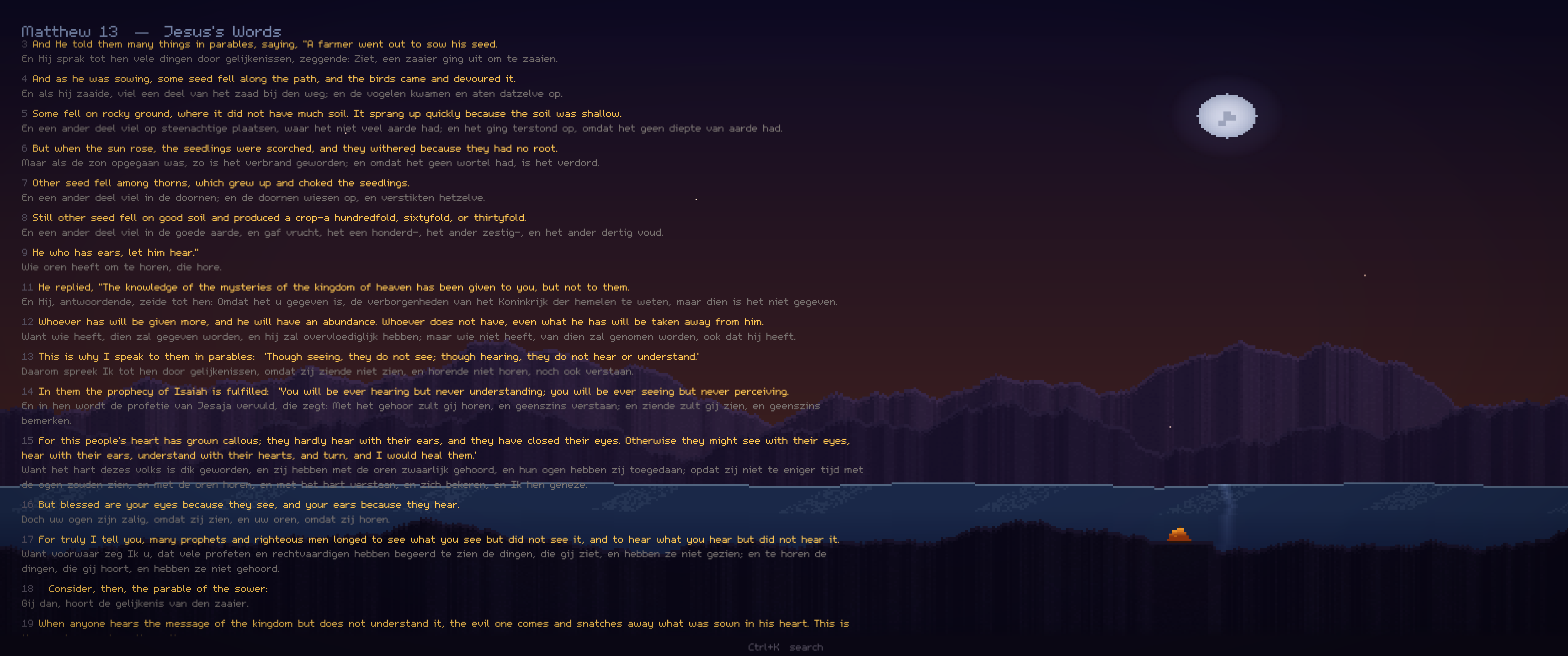
Browse only verses where Jesus speaks, highlighted in gold. Color-coded by speech type: direct speech, parables, or disputed passages. A dedicated hub lets you explore his teachings, parables, and themes separately.

Greek Interlinear
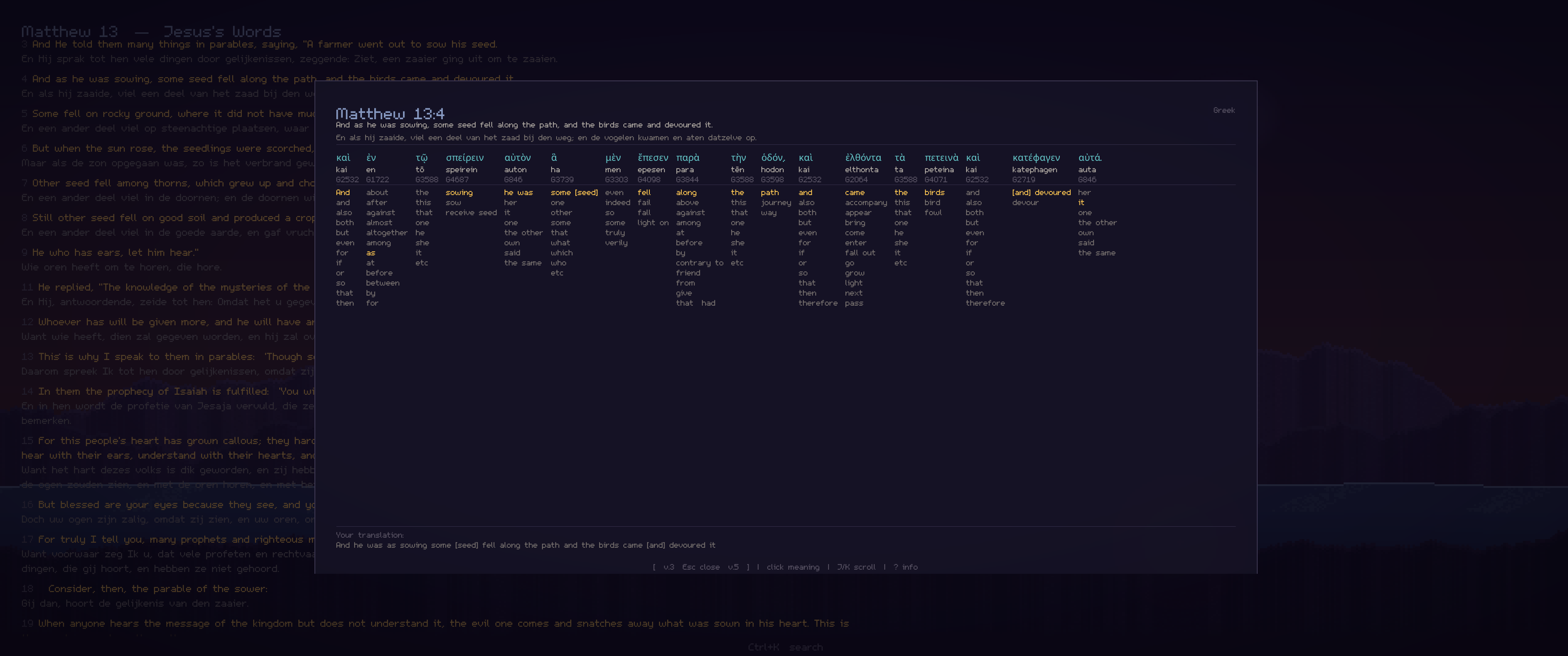
Click any New Testament word to see the original Greek, transliteration, Strong’s number, and contextual glosses. Not just the dictionary definition, but the meaning that fits this specific sentence.
Personal Translation Builder
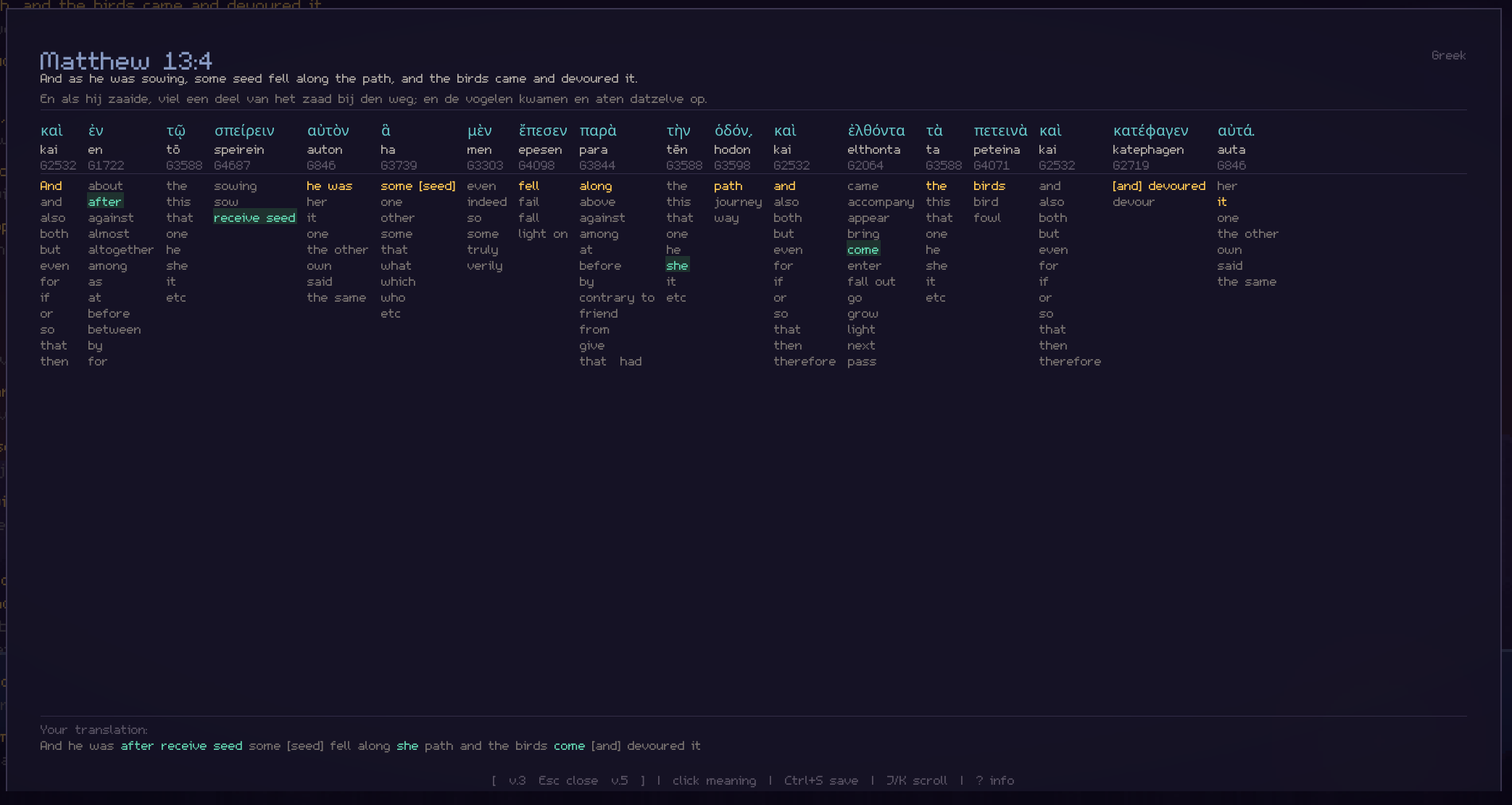
Select your preferred meaning for each Greek word and compose your own translation verse by verse. The app tracks your rendering choices word-by-word.
Verse Context Menu
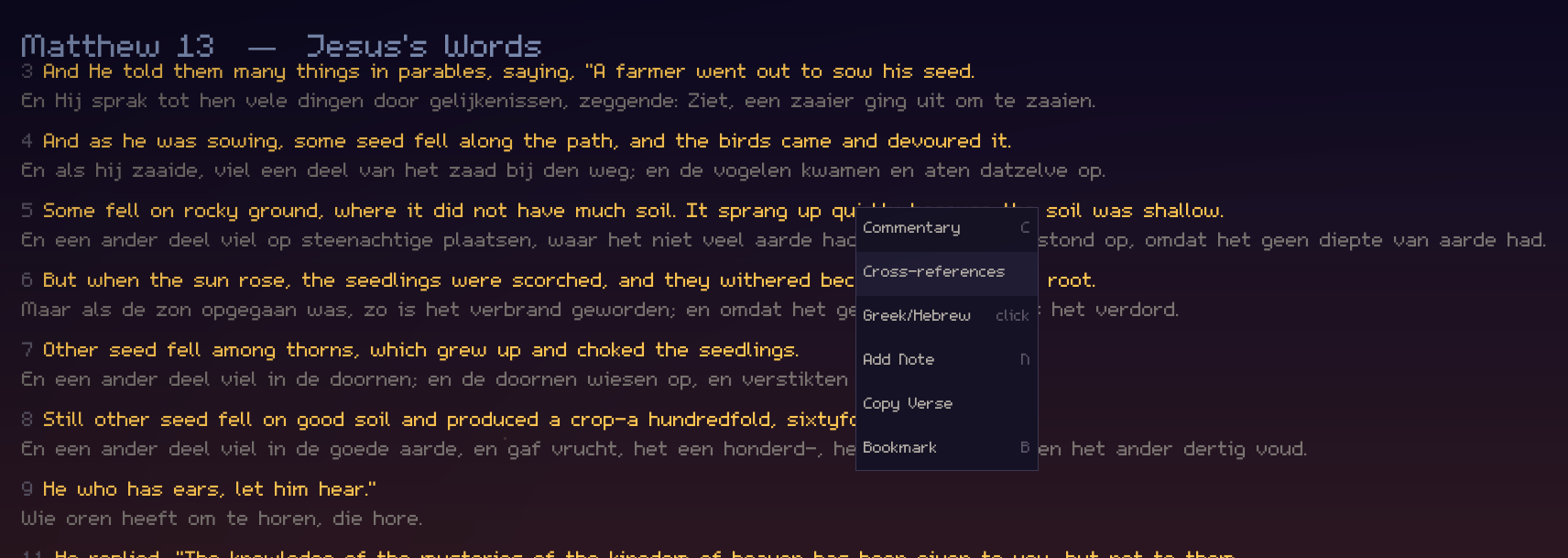
Right-click any verse for instant access to commentary (Matthew Henry, John Gill, Dutch Statenvertaling), cross-references, Greek/Hebrew lookup, personal notes, and bookmarks.
Full-Text Search
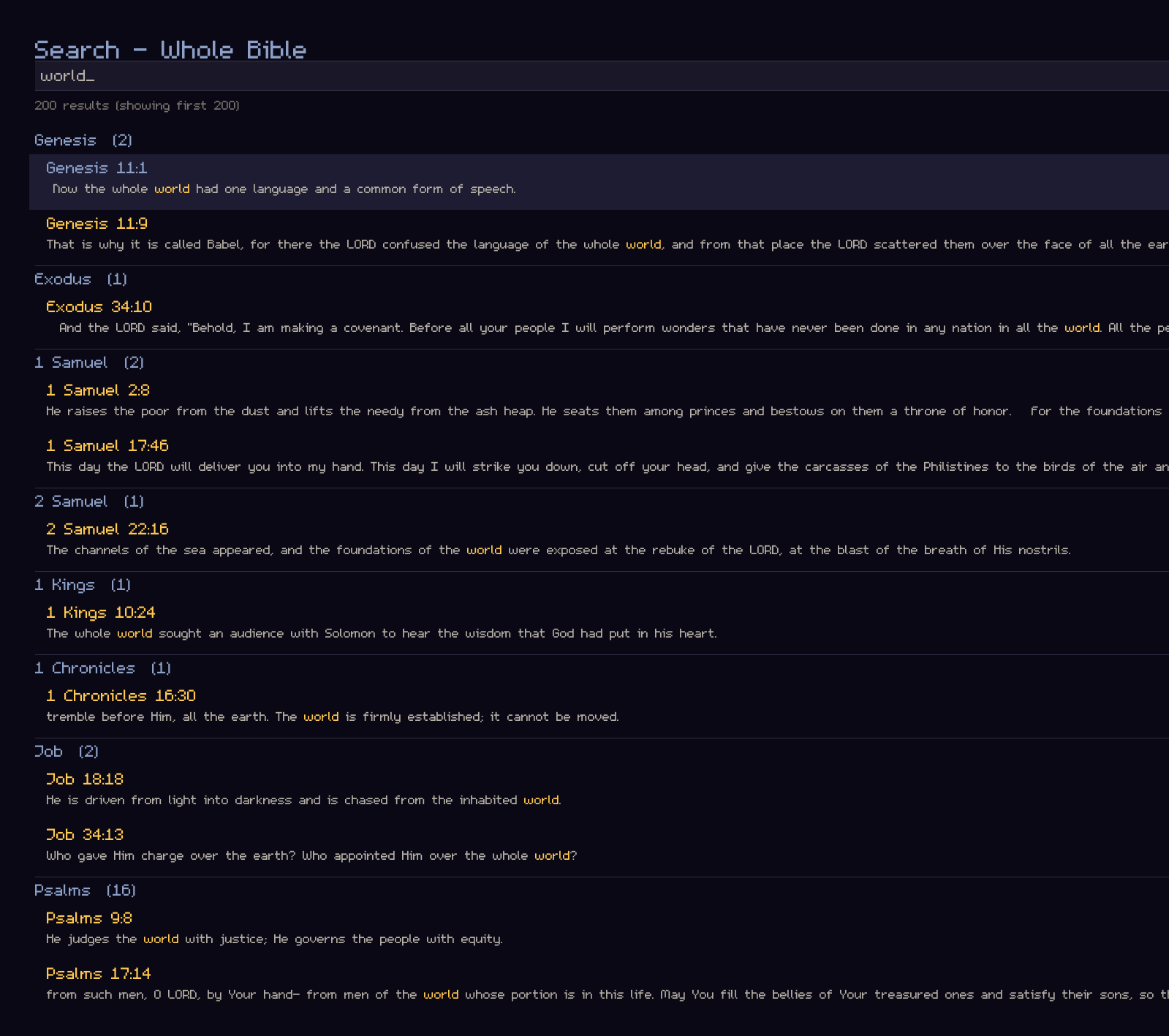
FTS5-indexed across the entire Bible with results grouped by book. Toggle “Jesus’s words only” with a single keystroke.
Parallel Gospel Reader
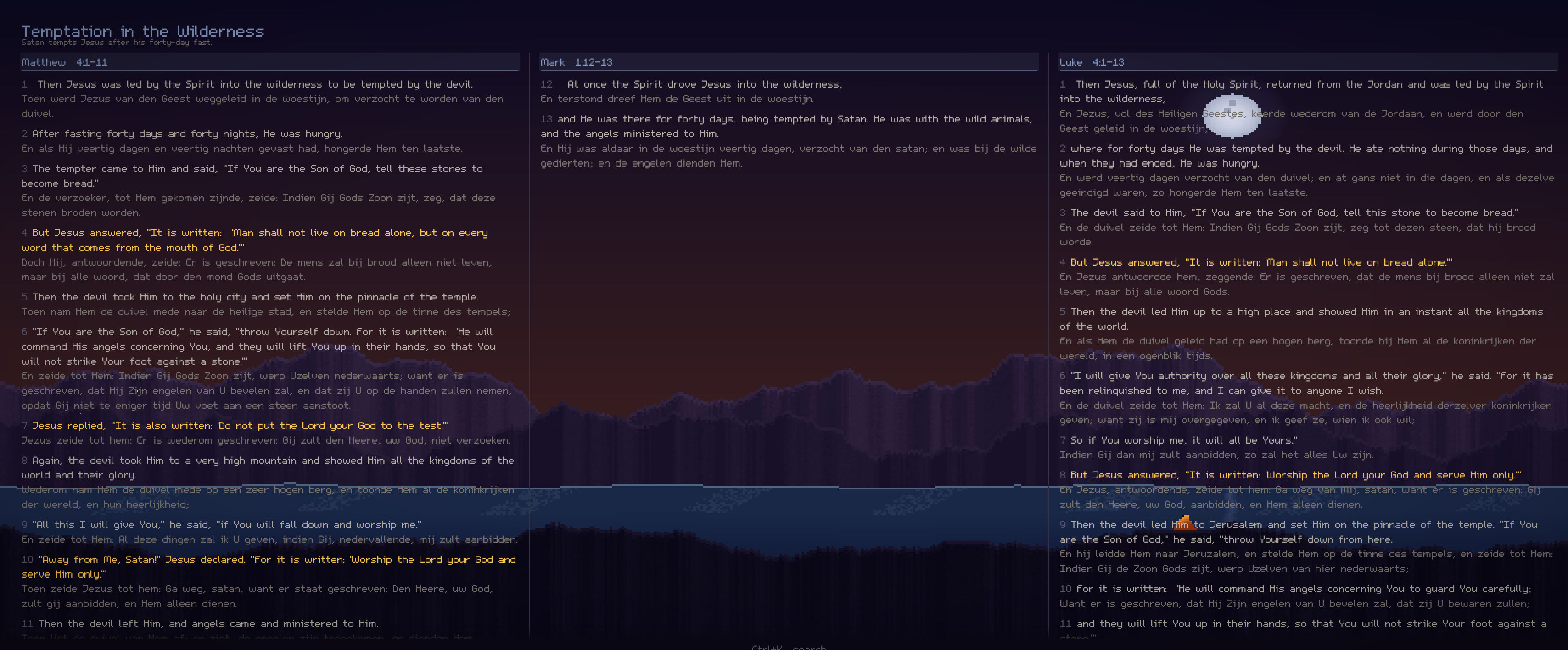
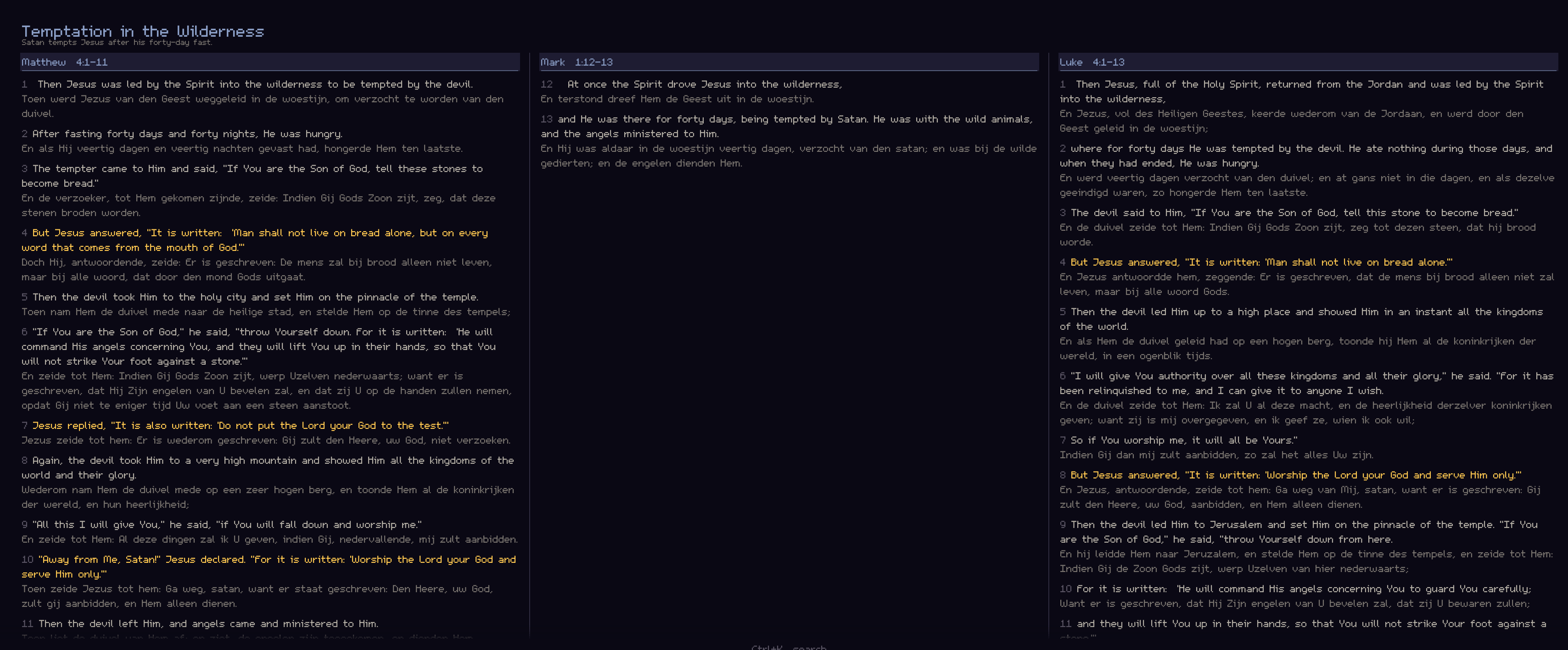
See the same event across Matthew, Mark, Luke, and John side by side. Synchronized scrolling with matching words highlighted across columns, revealing what each Gospel writer chose to emphasize.
Settings & Customization
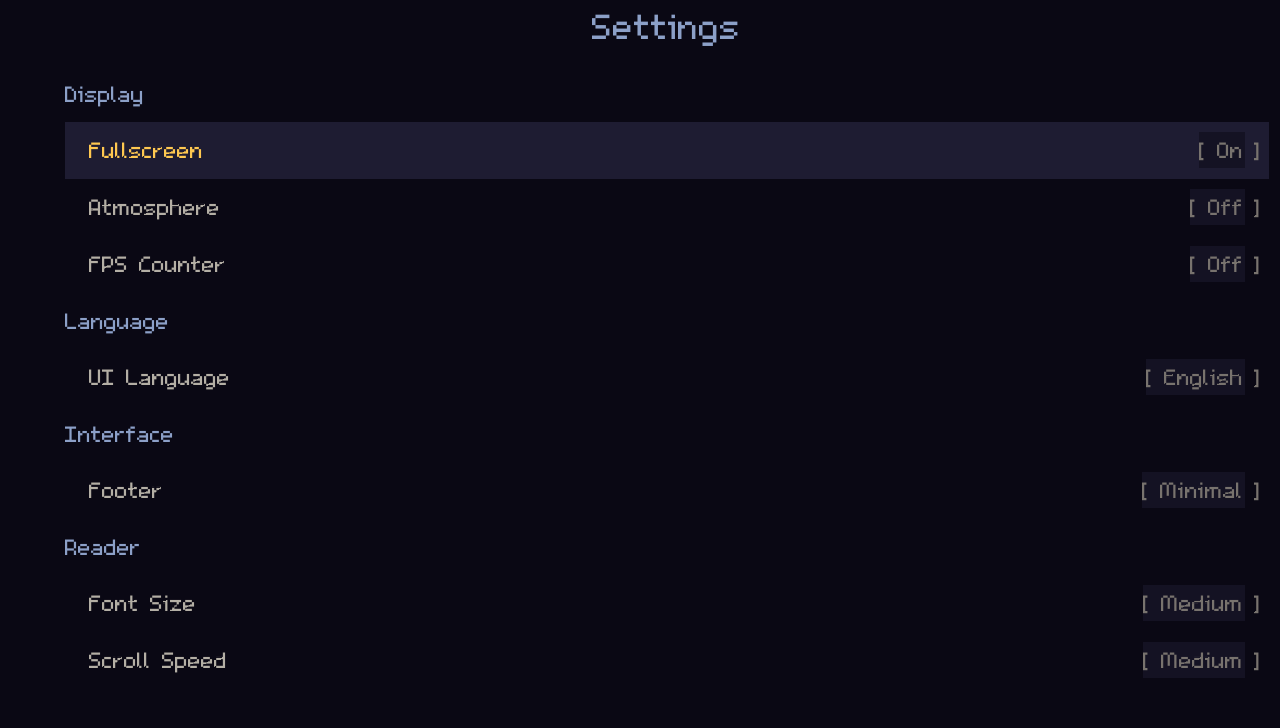
Toggle atmospheric scenes, adjust font sizes, switch between English and Dutch, and configure VI-style keyboard navigation.
Design Philosophy
Every visual element earns its place. Gold is reserved exclusively for Jesus’s words. Cyan marks original Greek or Hebrew. The deep purple-black background reduces eye strain during long study sessions. Atmospheric scenes set mood without competing with the text, and can be toggled off entirely.
No gamification. No streaks. No notifications. Just you and the text.